



A red phone signal on your screen can instantly create panic. Calls fail, messages don’t send, and mobile data seems unusable. For many users, this symbol feels serious—but in most cases, it’s simply a sign of network limitations, not device failure.
- What Does Red Phone Signal Mean?
- Why Does My Phone Signal Turn Red?
- Red Phone Signal vs SOS Mode
- Red Phone Signal on Android vs iPhone
- Roaming and Red Phone Signal
- How to Fix Red Phone Signal Issues
- Restart Your Phone
- Toggle Airplane Mode
- Check Network Settings
- Reinsert or Replace SIM Card
- Move to a Better Location
- Advanced Fixes for Persistent Red Signal
- Red Phone Signal vs Red Phone Networks (Important Difference)
- Is a Red Phone Signal Dangerous?
- How to Prevent Red Phone Signal Problems
- Frequently Asked Questions (FAQs)
- 1. Why is my phone signal red but Wi-Fi works?
- 2. Does the red phone signal mean my SIM is blocked?
- 3. Can a red phone signal fix itself?
- 4. Why does my phone show red signal after an update?
- 5. How long do network outages last?
- Conclusion
- Related posts:
This guide explains the red phone signal, why it appears on Android and iPhone, how it differs from SOS or roaming, and what you can do to fix it quickly. Everything is explained in clear, human-friendly language.
Learn about Red Phone Signal meanings, alerts, and safety tips. Understand what this warning indicates and how to respond effectively in emergencies..
What Does Red Phone Signal Mean?
A red phone signal usually means your mobile device cannot establish a stable connection with your cellular network. Most smartphones use color-coded signal bars, and red indicates critical or no usable coverage.
In practical terms, your phone is working, but the network is not reachable. This may appear as:
- Red signal bars
- Red signal with an “X”
- Red bars with SOS or Emergency Only
The phone prioritizes showing red to warn users that normal calls, texts, and mobile data may not function reliably.
Why Does My Phone Signal Turn Red?
Several everyday factors can cause a red phone signal. Most are related to your environment or carrier, not the phone itself.
Poor Network Coverage
If you are far from a cell tower—common in rural areas, highways, or mountainous regions—your phone may show a red signal due to weak coverage.
Indoor Signal Blockage
Concrete walls, metal structures, elevators, and basements can block cellular signals. This is one of the most common reasons users see a red signal indoors.
Network Congestion or Outage
During peak hours or carrier outages, towers can become overloaded. When this happens, your phone may suddenly lose service and display a red signal.
SIM Card or Software Issues
A damaged SIM card, outdated software, or incorrect network settings can interrupt communication between your phone and the carrier.
Red Phone Signal vs SOS Mode
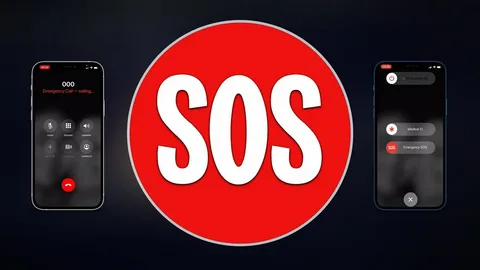
Many users confuse a red signal with SOS. While they appear similar, they are not the same.
What SOS Means
When your phone shows SOS or Emergency Only, it means your carrier network is unavailable, but emergency services can still be contacted through any available network.
Key Differences
- Red Signal: No reliable network connection
- SOS Mode: Emergency calls only, no normal service
Both indicate limited connectivity, but SOS confirms that emergency calling remains available.
Red Phone Signal on Android vs iPhone
Both platforms show red signals differently, but the meaning remains the same.
Android Devices
- Red bars with an “X”
- “No Service” message
- Red signal icon
iPhone Devices
- Zero or red bars
- “SOS” or “Emergency Only” text
- No carrier name visible
Regardless of device, a red signal means the phone cannot maintain normal cellular service.
Roaming and Red Phone Signal
When traveling, especially internationally, your phone may rely on roaming networks.
How Roaming Affects Signal
- Limited partner network availability
- Slower speeds
- Inconsistent coverage
If roaming agreements are weak or unavailable, your phone may show a red signal even though towers exist nearby.
How to Fix Red Phone Signal Issues
Most red phone signal problems are temporary and easy to fix.
Restart Your Phone
A simple restart refreshes network connections and often resolves minor signal issues.
Toggle Airplane Mode
Turn airplane mode on for 30 seconds, then turn it off. This forces the phone to reconnect to nearby towers.
Check Network Settings
Ensure:
- Mobile data is enabled
- Correct network mode (4G/5G) is selected
- Roaming is on if traveling
Reinsert or Replace SIM Card
Remove the SIM card, clean it gently, and reinsert it. If the SIM is old or damaged, request a replacement from your carrier.
Move to a Better Location
Step outside, move near a window, or change rooms. Even a small position change can improve signal strength.
Advanced Fixes for Persistent Red Signal

If basic steps fail, try advanced solutions.
Reset Network Settings
This clears saved Wi-Fi, Bluetooth, and mobile settings that may be causing conflicts.
Update Phone Software
System updates often include carrier patches and signal optimizations.
Use Wi-Fi Calling
When available, Wi-Fi calling allows calls and texts without cellular coverage.
Switch Carrier or Plan
Coverage varies by location. A different carrier may offer stronger service in your area.
Red Phone Signal vs Red Phone Networks (Important Difference)
It’s important not to confuse smartphone red signals with Red Phone Networks used by governments and emergency agencies.
Smartphone Red Signal
- Indicates weak or no mobile coverage
- Common consumer issue
Red Phone Networks
- Satellite-based private communication systems
- Used by public safety agencies and hospitals
- Designed for off-grid emergency communication
They share a name but serve entirely different purposes.
Is a Red Phone Signal Dangerous?
No. A red phone signal does not damage your phone or compromise your data. It simply reflects your current connection status. Once coverage improves, your phone returns to normal operation automatically.
How to Prevent Red Phone Signal Problems
While no solution guarantees perfect coverage, these steps reduce future issues:
- Keep your phone updated
- Enable Wi-Fi calling
- Avoid known dead zones
- Choose carriers with strong local coverage
- Replace old SIM cards
Consistency and preparation matter more than quick fixes.
Frequently Asked Questions (FAQs)
1. Why is my phone signal red but Wi-Fi works?
Wi-Fi operates independently of cellular networks. A red signal means mobile service is unavailable, not Wi-Fi.
2. Does the red phone signal mean my SIM is blocked?
Usually no. A blocked SIM shows specific warnings. Red signal typically indicates coverage issues.
3. Can a red phone signal fix itself?
Yes. If caused by congestion or outages, service often returns automatically.
4. Why does my phone show red signal after an update?
Updates may reset network settings or introduce temporary bugs. Resetting network settings usually helps.
5. How long do network outages last?
Most carrier outages are resolved within a few hours, depending on location and severity.
Conclusion
A red phone signal looks alarming, but it rarely indicates serious trouble. In most cases, it’s caused by weak coverage, temporary outages, or environmental interference. By understanding what the red signal means—and how it differs from SOS or roaming—you can respond calmly and fix the issue quickly. With the right settings, updates, and coverage awareness, staying connected becomes much easier.